AK TRIP MANAGEMENT & TRACKING
See how your group is progressing without chasing updates
Fewer messages and follow-ups. From initial enquiry to the end of the trip, see what’s been arranged and what needs attention.
Feature preview. These are prototype captures and design mock-ups with sample data, not a live operations portal. The interfaces shown are in Chinese.
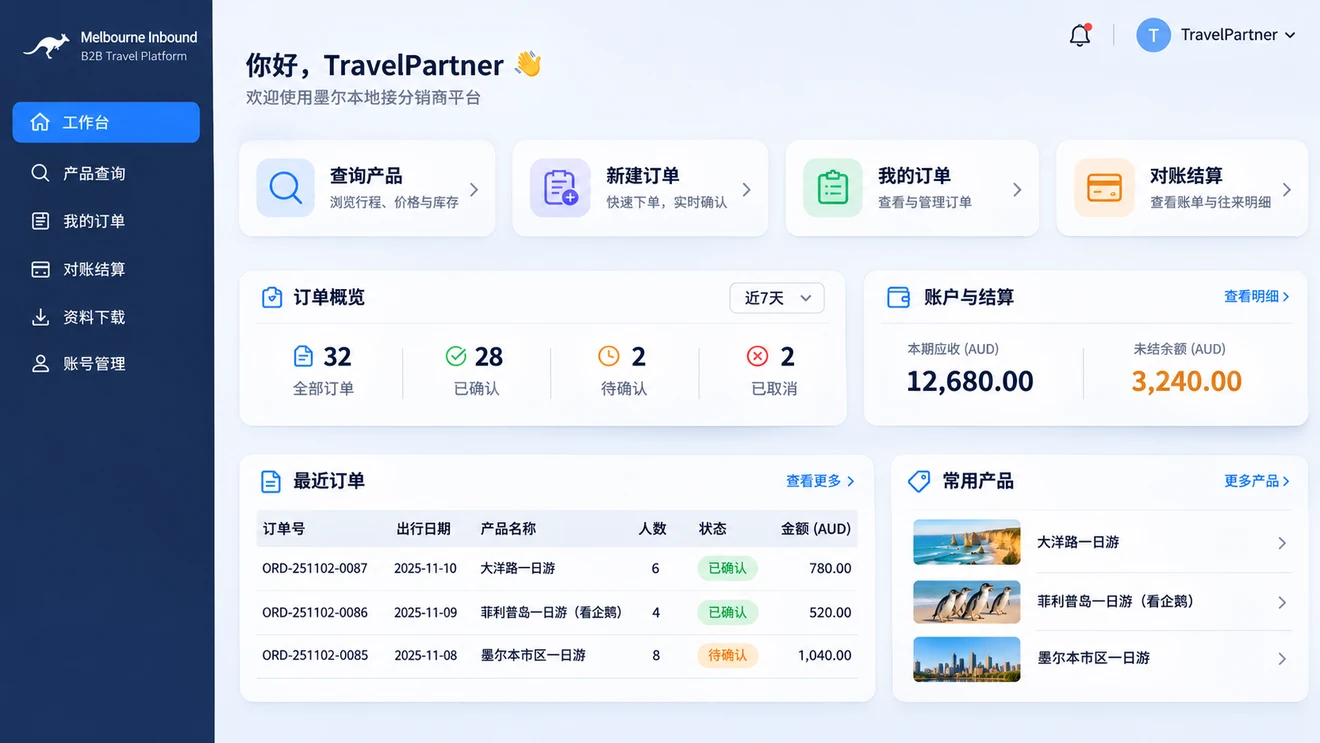
Before · Enquiries, availability and orders
Get the details sorted before you book
The problem:Checking dates, availability and prices can take several messages, even before a booking is confirmed.
The AK approach:The planned assistant answers common questions around the clock. Trade partners can check products and availability, place orders and follow confirmation in one place.
During · Pickups and trip progress
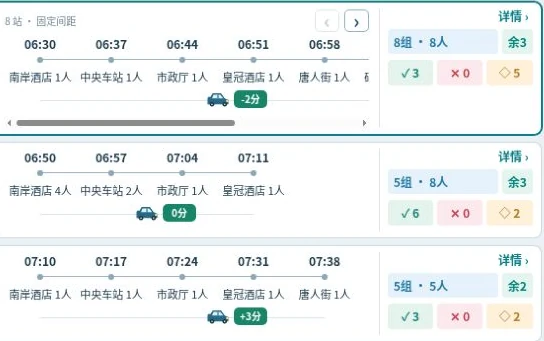
See how pickups are going
The problem:Where’s the vehicle? Has everyone been picked up? Changes can leave several teams chasing the same update.
The AK approach:The design gives each role an appropriate view of the same trip. Video and geofences help verify events; the operations team coordinates changes and exceptions.
After · Feedback and reconciliation
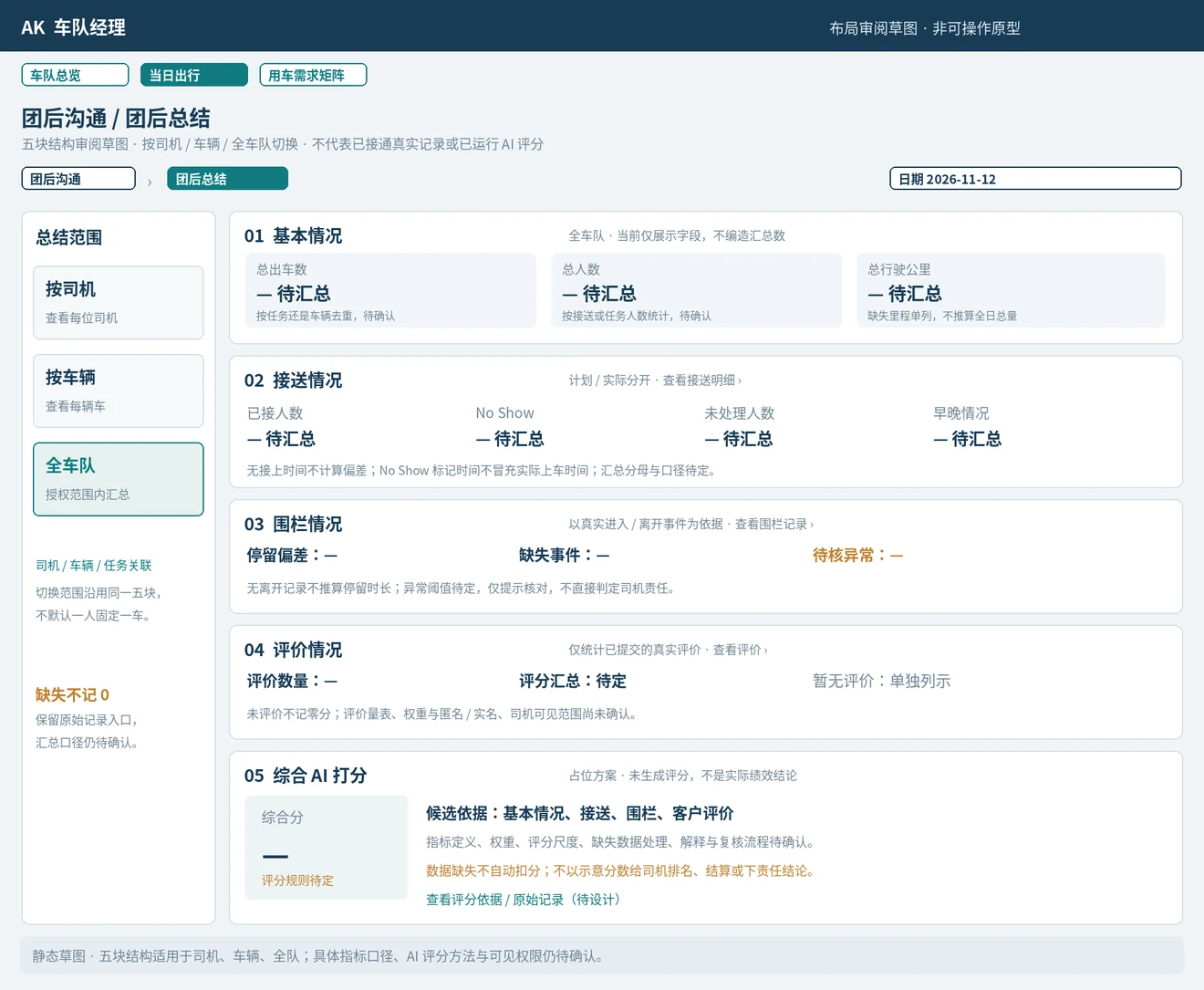
Find the feedback and records you need
The problem:After the trip, reviews and records can be scattered across chat threads and spreadsheets.
The AK approach:The planned workflow collects feedback automatically, brings trip records together and supports automated reconciliation.
Quick answers · Simple booking · Clear availability · Visible progress · Trip records · Useful feedback